
Camera Timer for iPhone & Complete User Guide
Master camera timer photography with advanced self-timer techniques, the best timer camera apps, and hands-free shooting for iPhone selfies and group photos.
- •Best self-timer and selfie camera apps with professional iPhone settings
- •Step-by-step timer photography techniques, posing, and composition tips
- •Advanced camera timer shooting for perfect group photos and solo selfies
Why Choose Lenspal for iPhone Photography?
Lenspal is designed for photographers and creators who want more control than the default iPhone timer allows. When you download timer camera app solutions like Lenspal, you gain access to powerful customization tools.
Key timer camera app features include:
- Flexible countdown and delay options
- Preset best timer settings for selfies, portraits, and group photos
- Intuitive controls optimized for iPhone photography
Lenspal helps you shoot smarter, not faster—making every timed photo feel planned and professional.
4.8★ rating with 50K+ downloads
"Lenspal transformed my selfie game completely! The timer feature is a game-changer for group photos."

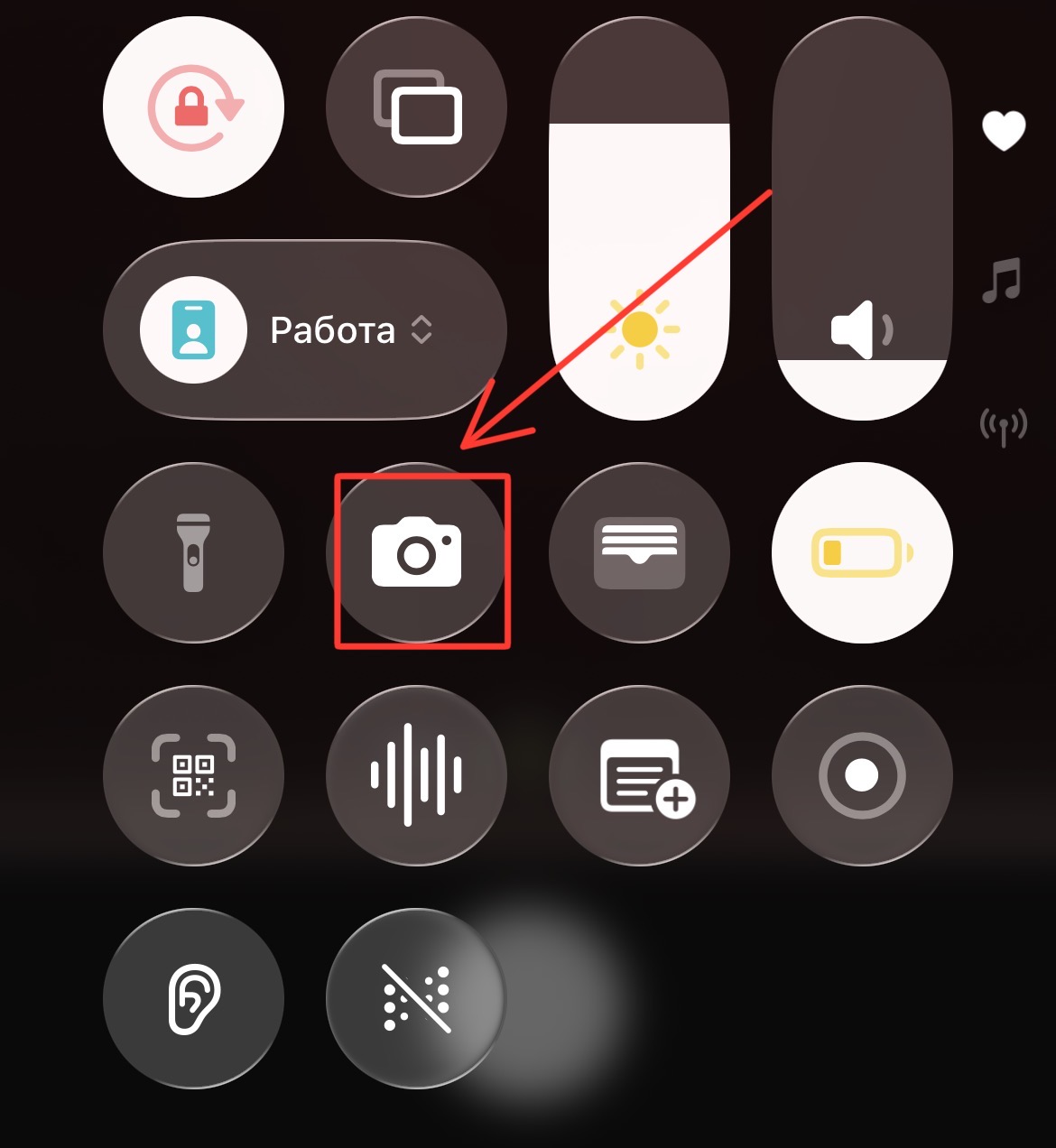
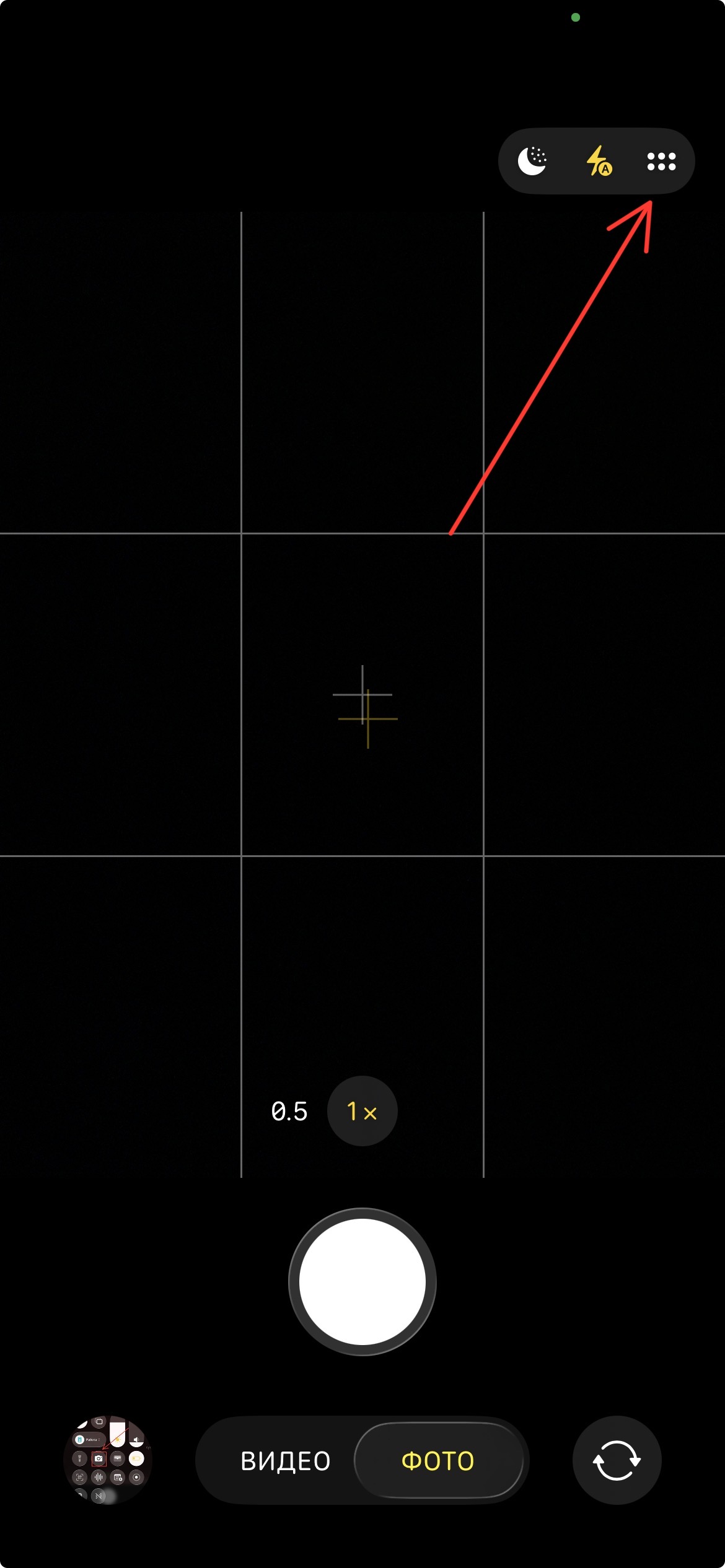
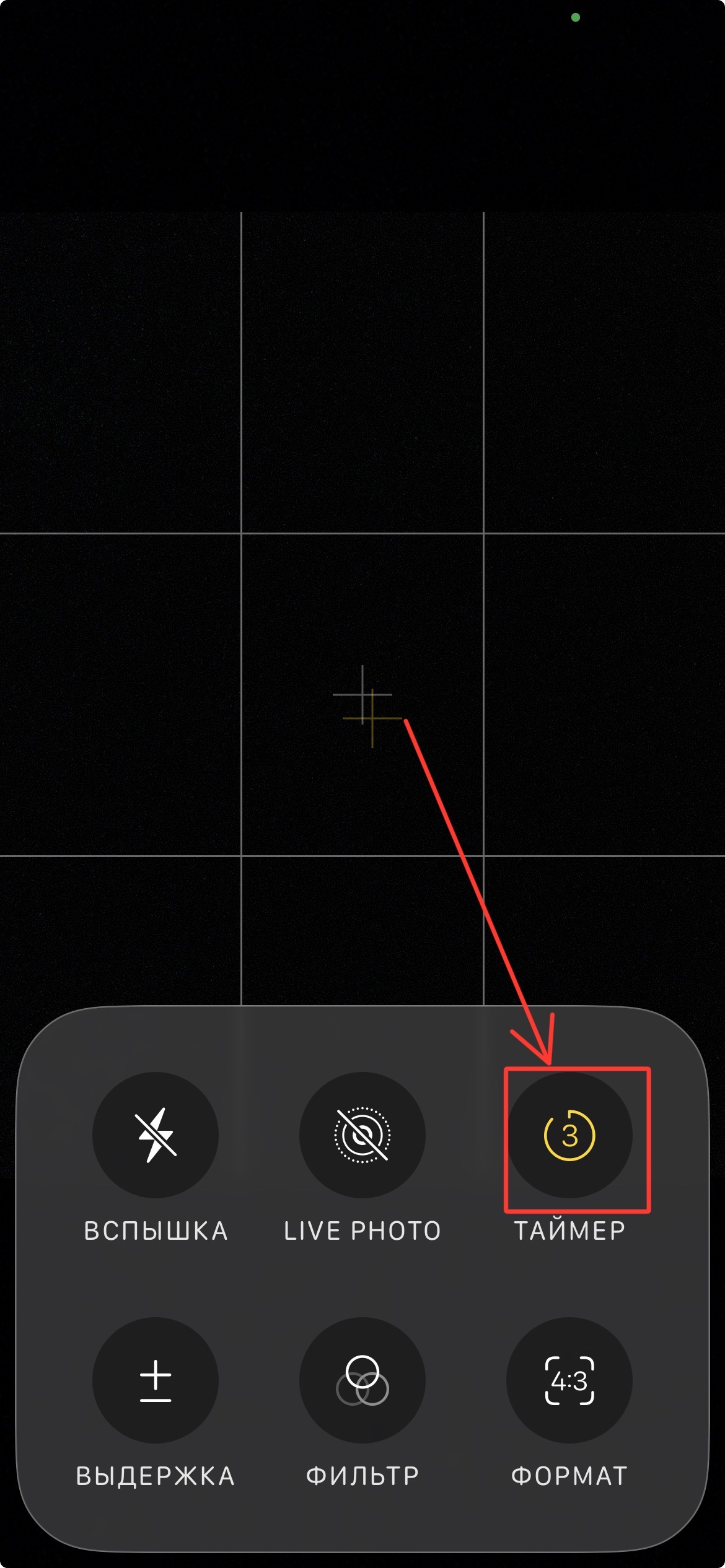
How to use the timer camera on an iPhone
Open the camera or timer app
Find the camera settings
Select the delay (3–10 seconds or customize)
Compose the shot, and start the countdown before getting into position.
How to use the camera timer effectively
To use the camera timer more effectively, download the Lenspal app, which will turn your iPhone into a personal assistant. How to use the timer in Lenspal:
Set important iPhone camera settings such as focus, exposure, and HDR before starting the countdown
Set the desired number of photos
Select the shooting interval, i.e., how many seconds will pass between shots
Select the delay you need (3s, 5s, 10s, 15s, etc.)
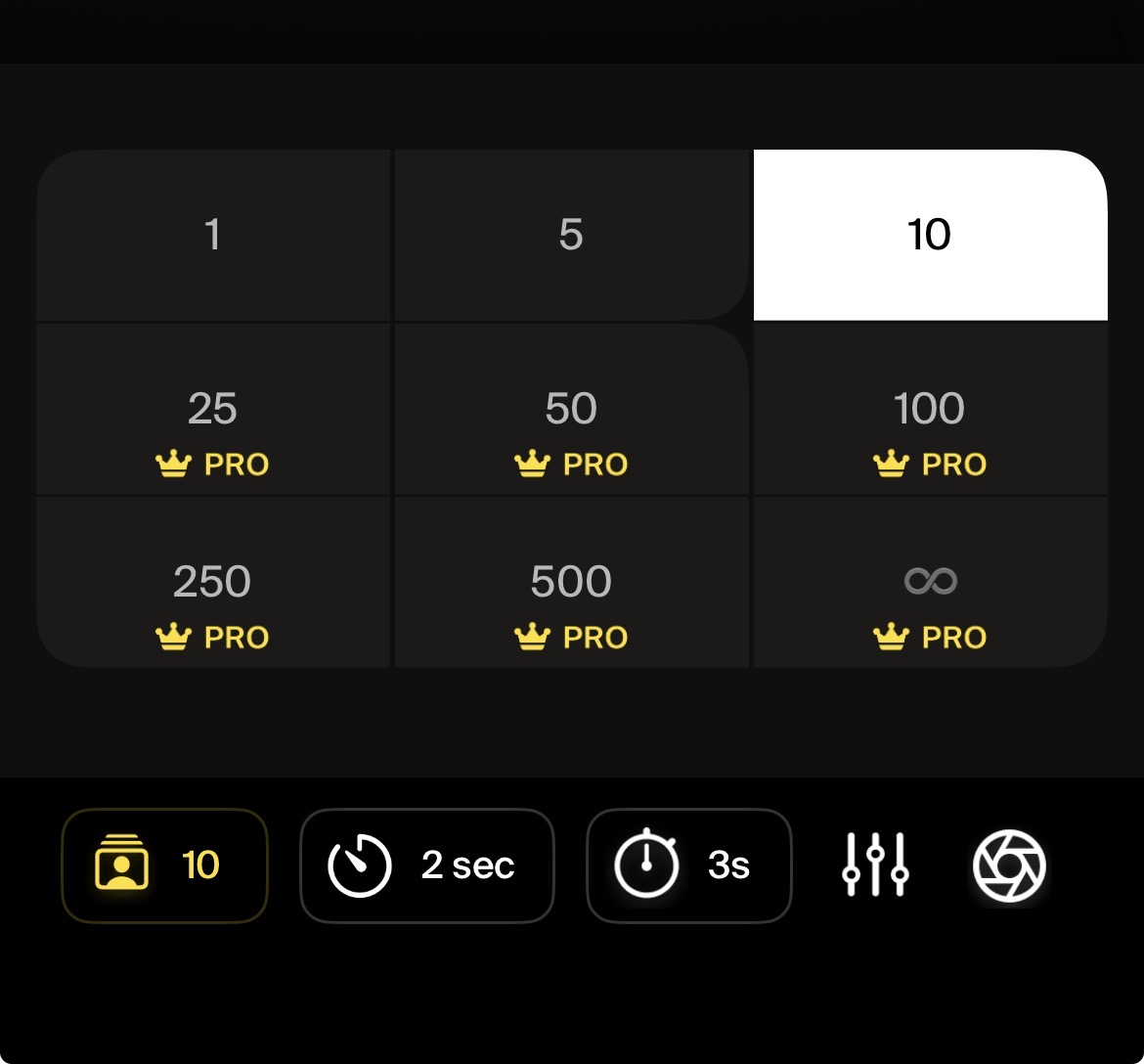
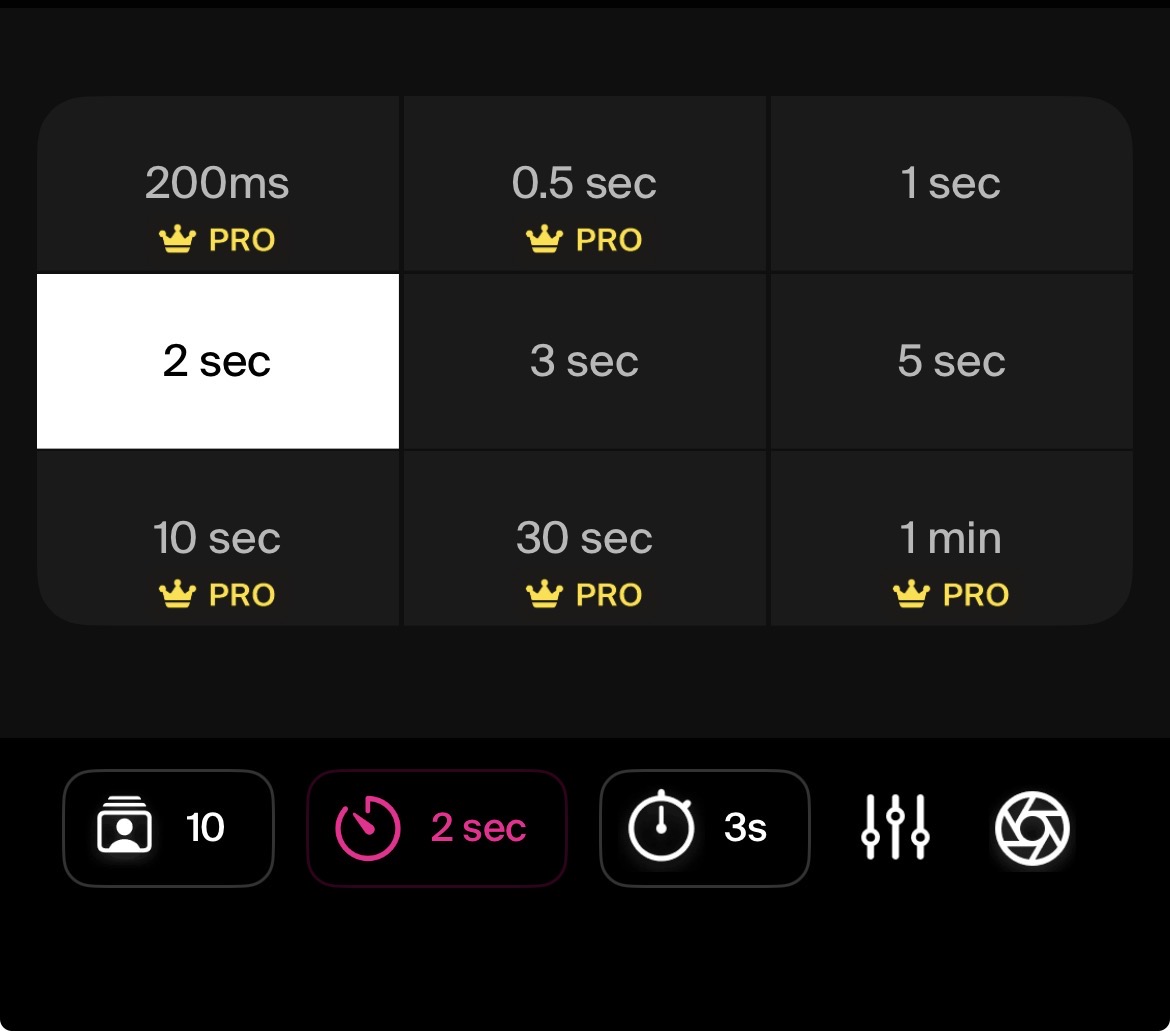
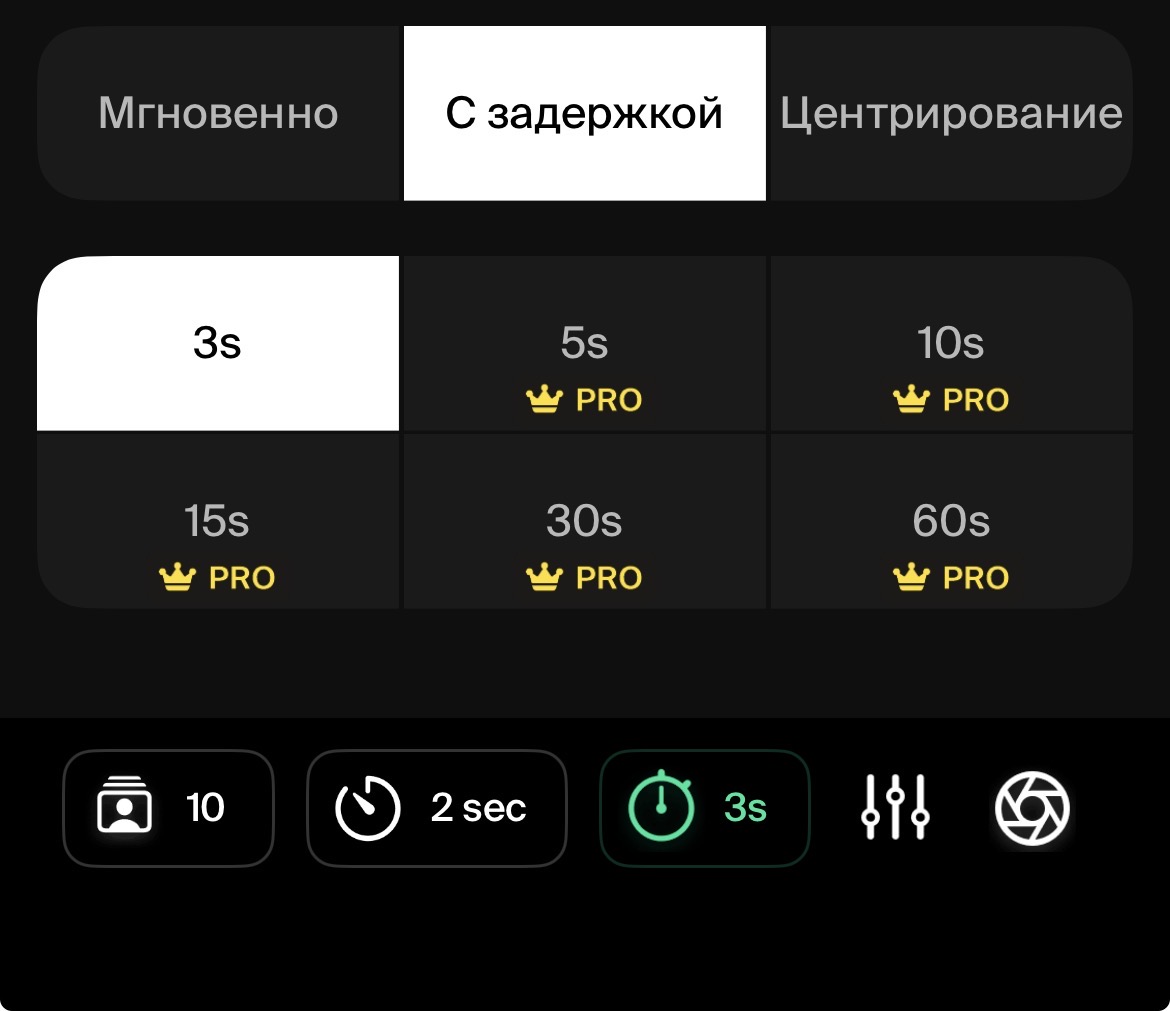
Use a short delay (3s, 5s, 10s) for quick selfies when you are already in the right pose. Choose a longer timer (15s, 30s) for group photos so that everyone can prepare naturally.
To improve your results, combine the timer with simple timer photography techniques. Pay attention to the background, keep the subject in the center of the frame, and leave enough space around the edges. Basic photo composition tips, such as the rule of thirds, clean lines, and proper headroom, will help every timed shot look more polished and thoughtful.
How to use delay and countdown modes for hands-free shooting
Different timer options are best suited for different situations. Understanding when to use each mode will help you get consistent results.
Timer for group photos: Set a longer delay so everyone has time to get into position and look natural
Hands-free shooting: Release the shutter without touching your phone to reduce blur and camera shake
Timer for solo content: Ideal for creators who are shooting photos or videos by themselves
Timer portraits: Gives you time to relax and strike a natural pose
Using the delay and countdown features takes the pressure off. Instead of rushing back to the camera or pressing the shutter at the last second, you can focus on composition, lighting, and confidence, resulting in better photos every time.
Essential iPhone Photography Tips
Use natural light whenever possible for better photo quality
Clean your iPhone camera lens before important shots
Try different angles - don't always shoot at eye level
Use the rule of thirds for better composition
Set a timer for group photos and selfies to avoid blur
Experiment with portrait mode for professional-looking shots
Pro Tip: Download Lenspal to access advanced timer features and guided photography tutorials right on your iPhone.
FAQ
Start Your iPhone Photography Journey
Join thousands of iPhone photographers using Lenspal for perfect selfies and group photos. Download now and transform your mobile photography with professional timer features and guides.